Gemini V3.2 — dual-connector DC all-in-one
Floor-standing public DC charger for SO WATT hubs. Specs sourced from StarCharge product documentation.
Dual-connector DC
Two connectors on one floor-standing unit — serve more vehicles without doubling footprint.
60 / 80 kW class
Fast DC charging suitable for public hubs, retail, and fleet depots that need reliable throughput.
Wide voltage window
200–1000 Vdc output covers a broad range of modern EV battery platforms.
Outdoor-ready IP54
Built for real site conditions with IP54 protection and wide operating temperature.
Parameter configuration
Key figures for the Gemini V3.2 60/80 kW dual-connector DC charger.
App preview — built for real charging journeys
Screenshots from the SO WATT app prototype: stations, QR scan, live session, activity, and account.
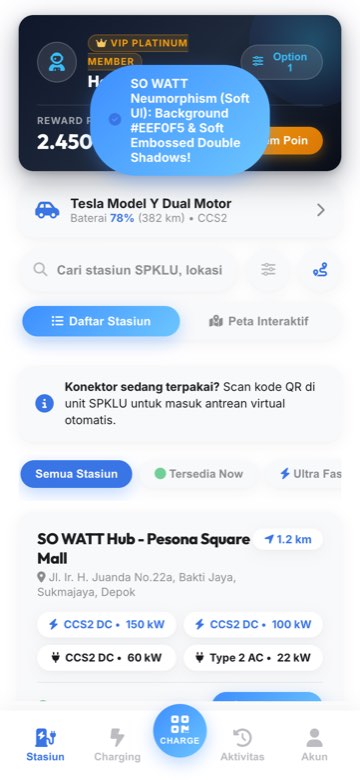
Find hubs
Browse nearby SO WATT stations, filters, and live availability.
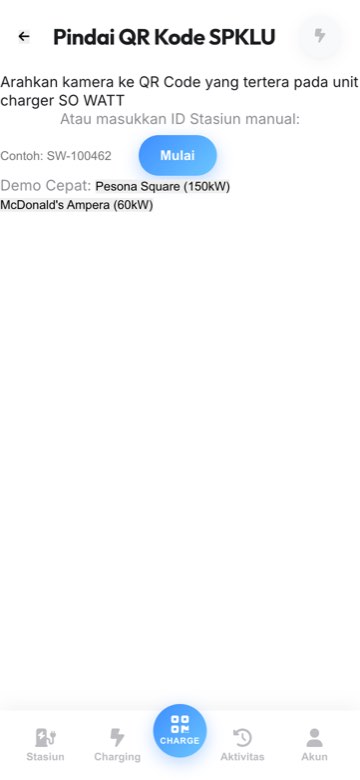
Scan to charge
Point at the charger QR to start a session or join the virtual queue.
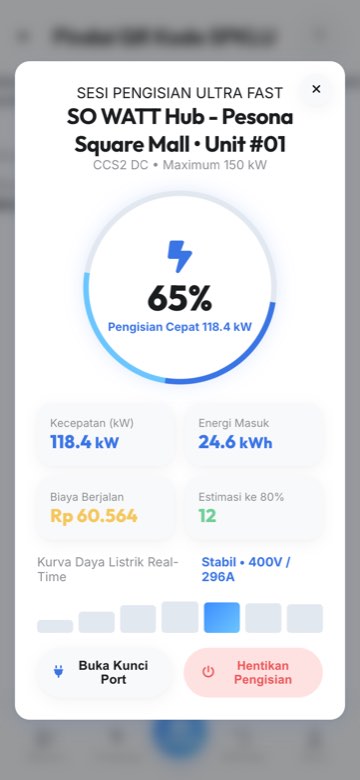
Live charging HUD
Track kWh, cost, and progress in a live session view.
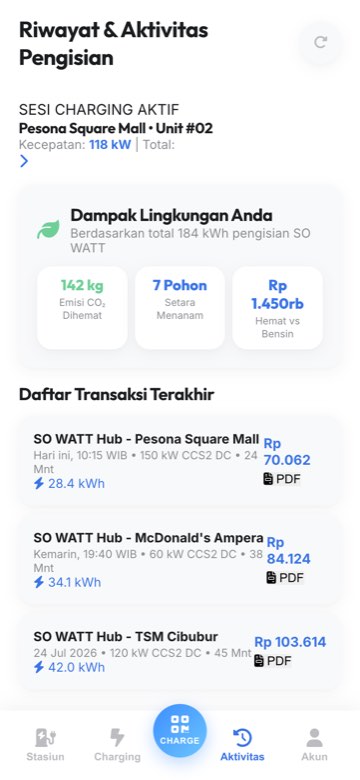
Activity & impact
History, spend, and eco impact from every charge.
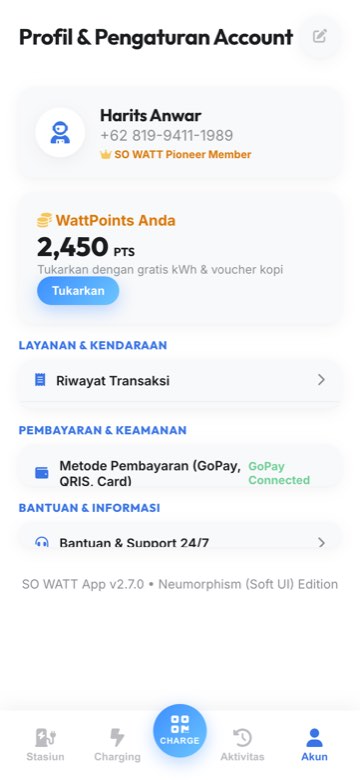
Account & WattPoints
Membership tier, rewards, vehicles, and preferences.
From arrival to charged — four clear steps
Open SO WATT & pick a hub
Launch the app, search or filter stations (available, ultra-fast, favourites), and check connector status before you go.
Scan the charger QR
At the StarCharge Gemini unit, open Scan and point at the QR on the charger. Start charging or join the virtual queue if busy.
Plug in & monitor the session
Connect your EV, then follow the live charging HUD for energy delivered, estimated cost, and completion status.
Pay, earn WattPoints & go
Finish the session, pay securely, collect WattPoints, and review activity or eco savings anytime in your account.
SO WATT questions
What charger does SO WATT use?
SO WATT hubs can deploy StarCharge Gemini V3.2 — a 60/80 kW dual-connector DC all-in-one floor-standing charger (IP54, 200–1000 Vdc). Product reference: starcharge.com/szz3d60.
What is SO WATT?
SO WATT is Sowiz Group’s EV charging (SPKLU) product: find hubs, scan QR to charge, earn WattPoints, plan trips, and manage fleet charging — paired with DC hardware such as Gemini V3.2.
Who is SO WATT for?
EV drivers who need reliable public charging, property and retail hosts who want to offer SPKLU hubs, and fleet operators who need centralised charging and billing.
How do I charge with the SO WATT app?
Open the app, find a hub, scan the charger QR, plug in, monitor the live session, then pay and earn WattPoints when finished.
How can I partner on a SO WATT hub?
Contact Sowiz Group via WhatsApp or email. We can discuss hosting Gemini V3.2 units, network rollout, or fleet integration for your sites.
Deploy Gemini V3.2 hubs with SO WATT.
Host a site, plan a network rollout, or integrate fleet charging with Sowiz Group.